Delightful Forms
A Journey from Basic to Beautiful
Building better form experiences in React
About Me
- Founding Engineer at Acctual
- Building finance tools for crypto native companies
- Working with React, TypeScript, and NextJS
- Organizer of React Toronto

What we do
cryptoinvoice.new
What people were used to

What people use most now
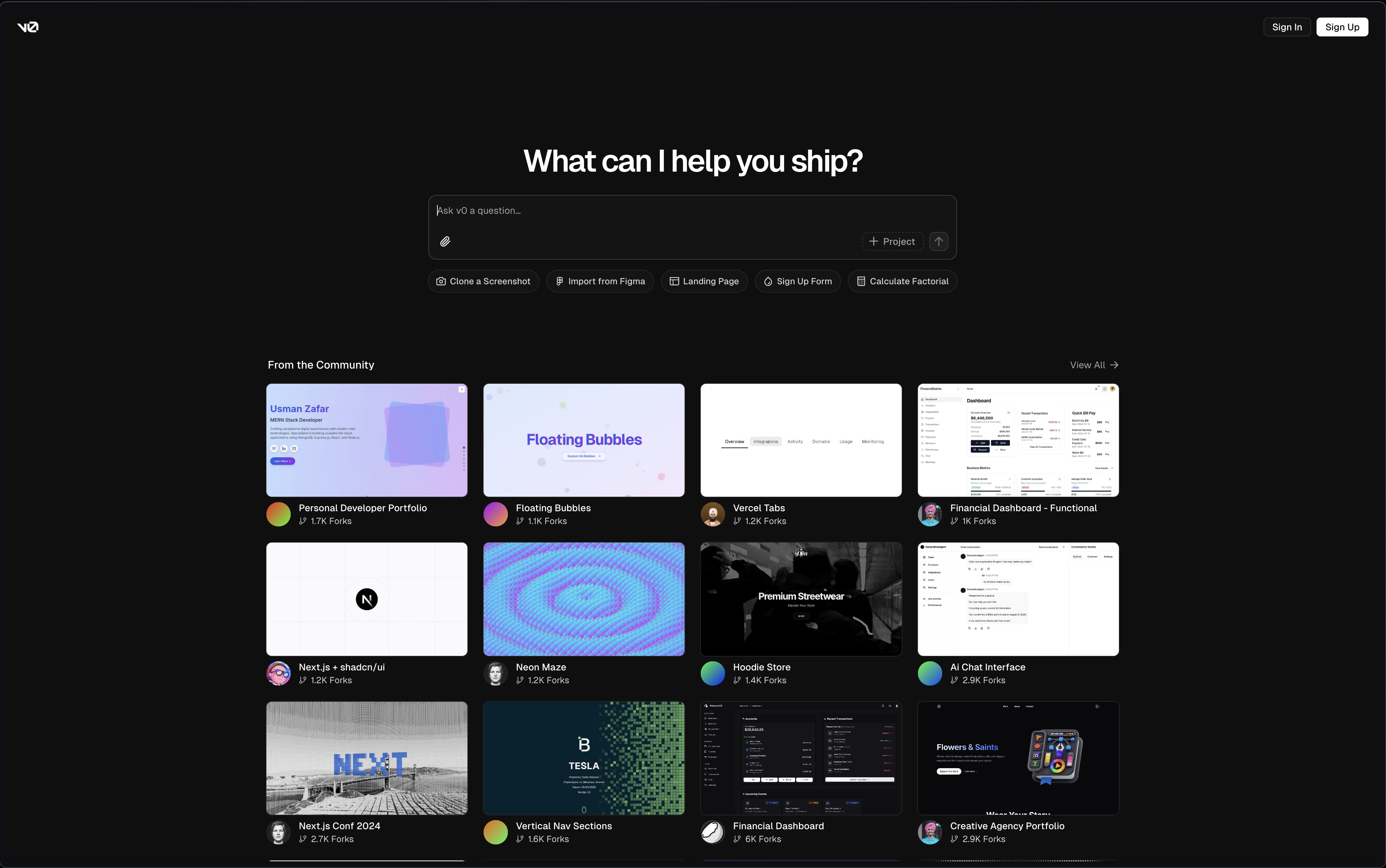
V0 - AI-First Development
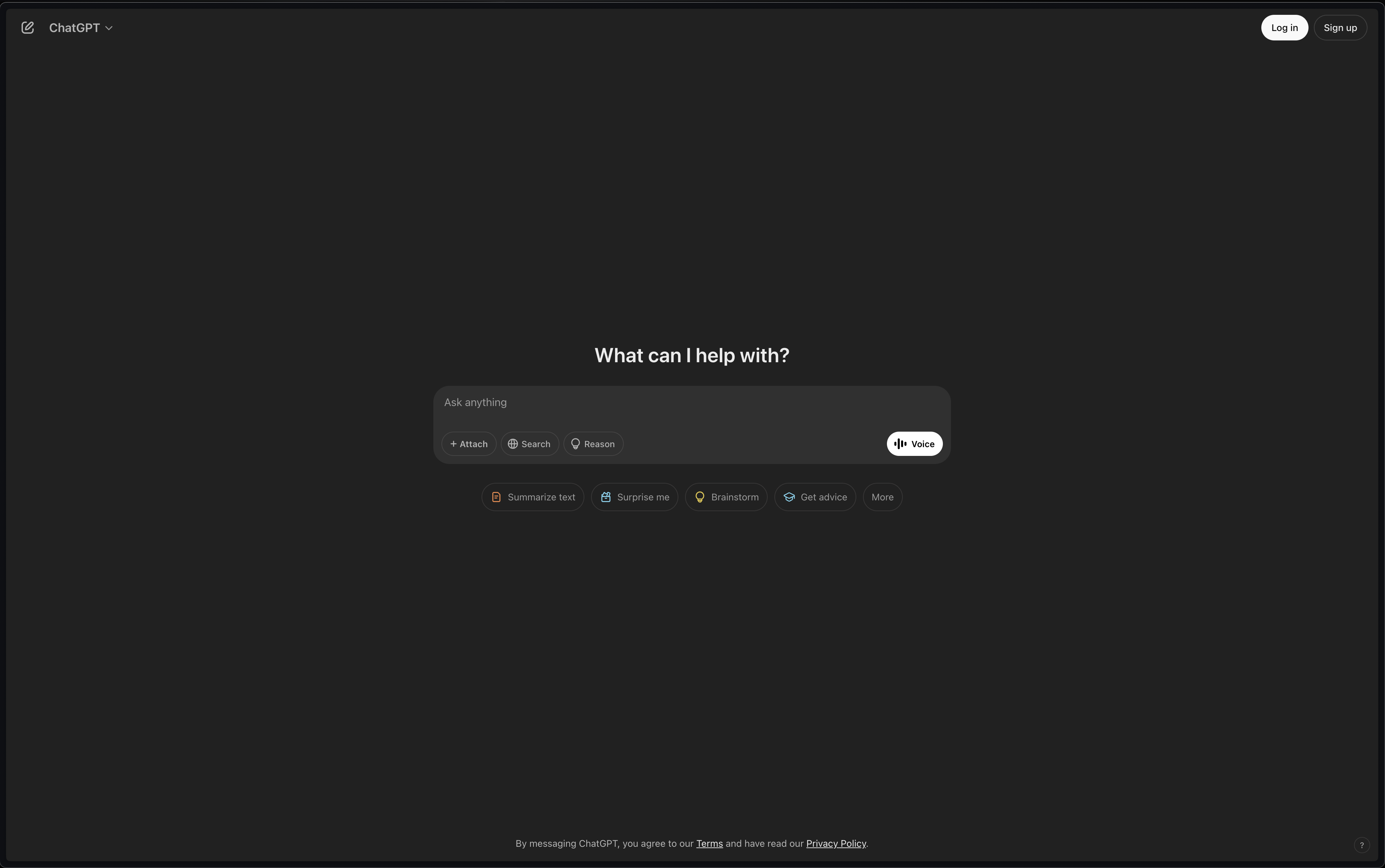
ChatGPT - Conversational AI
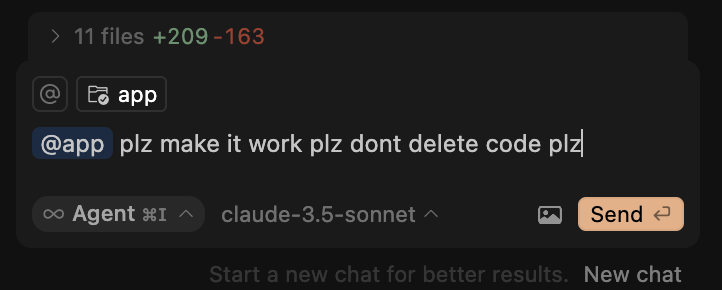
Cursor - AI-Powered IDE
The Evolution of Interfaces
Traditional Forms
- Multiple fields
- Complex validations
- Multi-step flows
- Structured data entry

AI Chat Interfaces
- Single text input
- Natural language
- Conversational UI
- Unstructured data entry
The Reality
- AI interfaces are transforming interaction patterns
- But most applications still rely on structured data
- Forms remain essential for:
- E-commerce checkout
- Account creation
- Business applications
- Financial transactions
We need to make these experiences better!
Common Form Problems
- Poor error handling
- Confusing validation
- No loading states
- Jarring updates
- Lost data on navigation
One of the reasons for this talk
Eleven Labs Tool form
Me
Common Anti-patterns
- Show all errors at once
- Unclear requirements until submission
- No feedback during submission
- Losing state on navigation
- Friction when users need help most
Example of a delightful form
Clerk sign up
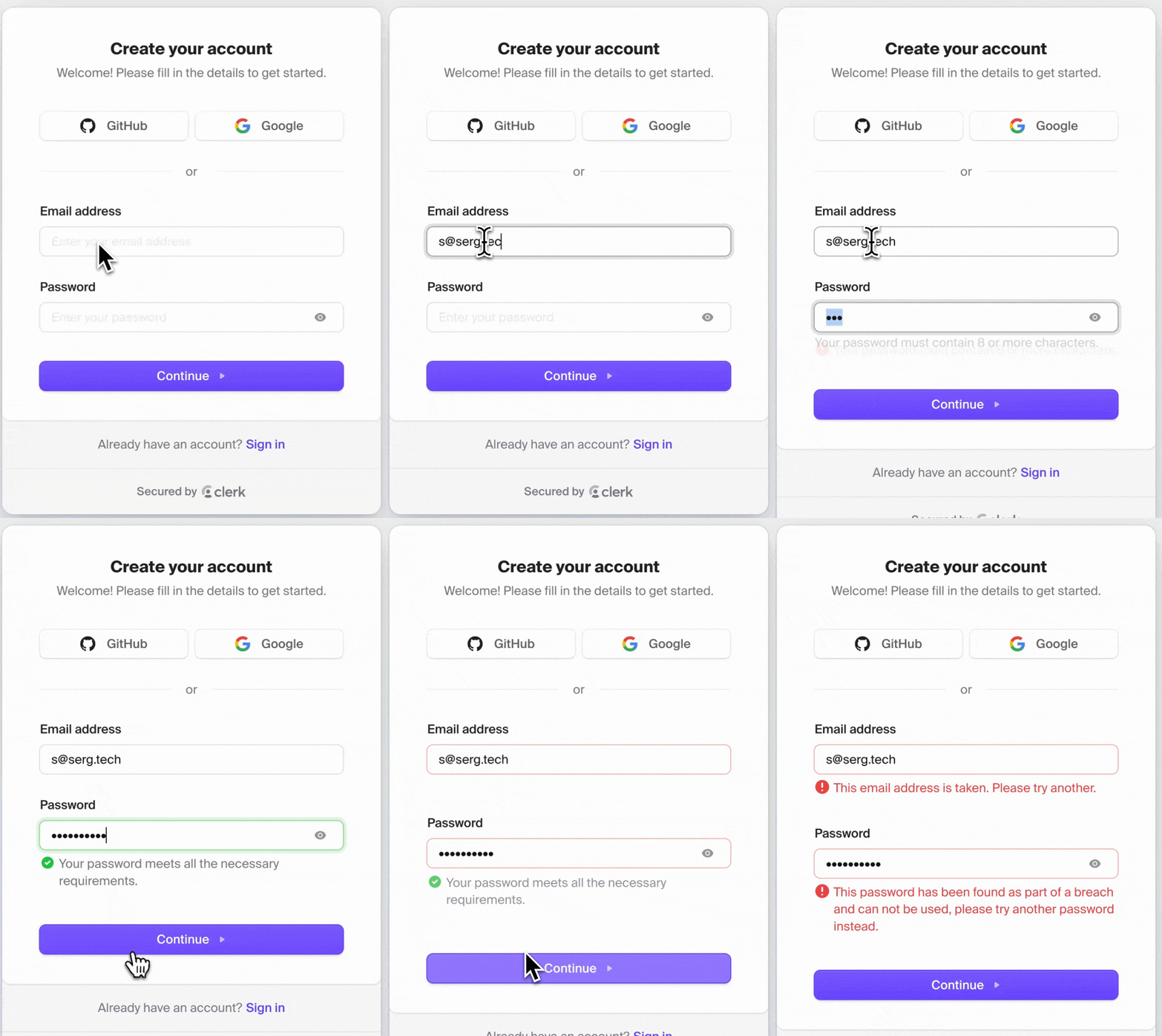
We're going to build something like this
1. Basic Forms with Server Actions
Starting with a simple login form
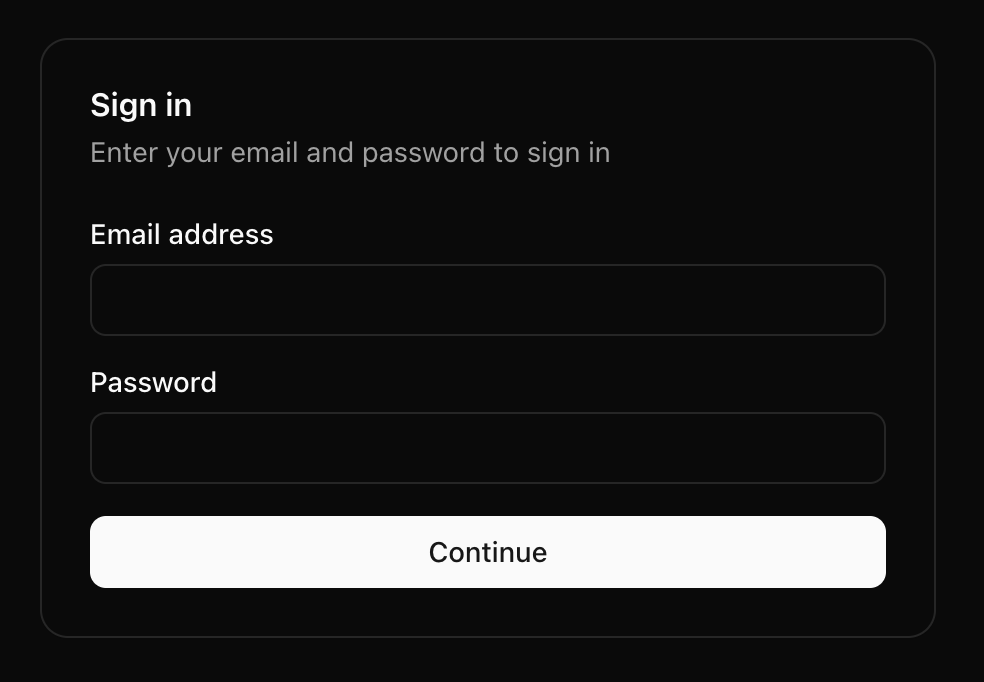
Basic HTML Form
<form action={handleSignIn}>
  <div>
    <label htmlFor="email">Email address</label>
    <input
      type="email"
      id="email"
      name="email"
      required
    />
  </div>

  <div>
    <label htmlFor="password">Password</label>
    <input
      type="password"
      id="password"
      name="password"
      required
    />
  </div>

  <button type="submit">Continue</button>
</form>
Server Action
'use server';

export async function handleSignIn(formData: FormData) {
  // Simulate server delay
  await new Promise(resolve => setTimeout(resolve, 1500));

  // Extract form data
  const email = formData.get('email') as string;
  const password = formData.get('password') as string;

  // Simple validation
  if (!email || !password) {
    return { error: 'Email and password are required' };
  }

  // Authentication logic would go here
  console.log('Authentication attempt:', { email });

  // Redirect to dashboard
  redirect('/dashboard');
}
Demo: Basic Form
[Live Demo: Basic Sign In Form]
✅ Works without JavaScript!
✅ Simple and functional
❌ But creates a poor user experience...
The Multiple Submissions Problem
What happens without disabling inputs?
The Problem
- Users can click the submit button multiple times
- Each click creates a new server request
- Can lead to duplicate transactions
- Creates unnecessary server load
- Users have no feedback that their submission is processing
Demo: Multiple Submissions
[Live Demo: Showing multiple form submissions]
Check the network tab - multiple requests!
2. Pending State
A simple solution to the multiple submissions problem
The Fieldset Solution
<form action={handleSignIn}>
  <fieldset disabled={isPending}>
    <div>
      <label htmlFor="email">Email address</label>
      <input type="email" id="email" name="email" required />
    </div>

    <div>
      <label htmlFor="password">Password</label>
      <input type="password" id="password" name="password" required />
    </div>

    <button type="submit">
      {isPending ? 'Signing in...' : 'Continue'}
    </button>
  </fieldset>
</form>
Using useFormStatus
import { useFormStatus } from 'react-dom';

function SubmitButton() {
  const { pending } = useFormStatus();

  return (
    <button
      type="submit"
      disabled={pending}
      className="w-full"
    >
      {pending ? 'Signing in...' : 'Continue'}
    </button>
  );}
Demo: Fieldset Prevention
[Live Demo: Form with fieldset prevention]
✅ Prevents multiple submissions
✅ Provides visual feedback
✅ Works with progressive enhancement
3. Schema Validation with Zod
Type-safe validation
Define the Authentication Schema
import { z } from 'zod';

export const signInSchema = z.object({
  email: z
    .string()
    .email('Please enter a valid email address')
    .min(1, 'Email is required'),
  password: z
    .string()
    .min(8, 'Password must be at least 8 characters')
    .regex(
      /^(?=.*[a-z])(?=.*[A-Z])(?=.*\d).*$/,
      'Password must contain at least one uppercase letter, one lowercase letter, and one number'
    ),
});
Server-side Validation
'use server';

async function handleSignIn(formData: FormData) {
  // Simulate server delay
  await new Promise(resolve => setTimeout(resolve, 1500));

  const formValues = {
    email: formData.get('email'),
    password: formData.get('password'),
  };

  try {
    const validatedData = signInSchema.parse(formValues);
    // Authentication logic would go here
    return { success: true };
  } catch (error) {
    if (error instanceof z.ZodError) {
      const errors = error.errors.reduce((acc, curr) => {
        const path = curr.path[0] as string;
        acc[path] = curr.message;
        return acc;
      }, {} as Record);

      return { errors, success: false };
    }
    return { error: 'Authentication failed', success: false };
  }
}
Client-side Error Display
'use client';

import { useFormState } from 'react-dom';

// Initial state for the form
const initialState = { errors: {}, success: false };

export default function SignInForm() {
  const [state, formAction] = useFormState(handleSignIn, initialState);

  return (
    <form action={formAction}>
      <fieldset disabled={isPending}>
        <div>
          <label htmlFor="email">Email address</label>
          <input
            type="email"
            id="email"
            name="email"
            className={state.errors?.email ? 'border-red-500' : ''}
          />
          {state.errors?.email && (
            <p className="text-red-600 text-sm mt-1">{state.errors.email}</p>
          )}
        </div>

        {/* Password field with similar validation display */}

        <SubmitButton />
      </fieldset>
    </form>
  );
}
Demo: Validated Login Form
[Live Demo: Sign In Form with Zod Validation]
- ✅ Better DX
- ✅ Type-safe server-side validation
4. Enhanced Form Management
React Hook Form
React Hook Form + Zod
import { useForm } from 'react-hook-form';
import { zodResolver } from '@hookform/resolvers/zod';
import { signInSchema, SignInValues } from './schema';

export default function SignInForm() {
  const {
    register,
    handleSubmit,
    formState: { errors, isSubmitting }
  } = useForm<SignInValues>({
    resolver: zodResolver(signInSchema),
    mode: 'onChange' // Validate on change for better UX
  });

  const onSubmit = async (data: SignInValues) => {
    // Sign in logic here
    try {
      await signIn(data.email, data.password);
      router.push('/dashboard');
    } catch (error) {
      setError('root', {
        type: 'manual',
        message: 'Invalid email or password'
      });
    }
  };

  return (
    <form onSubmit={handleSubmit(onSubmit)}>
      {/* Form fields with {register} */}
    </form>
  );
}
Input Registration
<div>
  <label htmlFor="email">Email address</label>
  <input
    id="email"
    type="email"
    className={errors.email ? 'border-red-500' : ''}
    {...register('email')}
  />
  {errors.email && (
    <p className="text-red-600 text-sm mt-1">
      {errors.email.message}
    </p>
  )}
</div>

<div>
  <label htmlFor="password">Password</label>
  <div className="relative">
    <input
      id="password"
      type={showPassword ? 'text' : 'password'}
      className={errors.password ? 'border-red-500' : ''}
      {...register('password')}
    />
    <button
      type="button"
      onClick={() => setShowPassword(!showPassword)}
      className="absolute right-3 top-1/2 transform -translate-y-1/2"
    >
      {showPassword ? <EyeOff size={18} /> : <Eye size={18} />}
    </button>
  </div>
  {errors.password && (
    <p className="text-red-600 text-sm mt-1">
      {errors.password.message}
    </p>
  )}
</div>
Benefits
- ✅ Real-time validation as you type
- ✅ Focused rerenders for better performance
- ✅ Form state management (touched, dirty, etc.)
- ✅ Error handling and display
- ✅ Custom validation rules
Demo: React Hook Form
[Live Demo: Sign In with React Hook Form]
Notice the improved user experience!
5. ShadCN Form
Wouldn't be a talk in 2025 without mentioning ShadCN
Demo: ShadCN Form
[Live Demo: ShadCN Form]
6. Animations
Using Framer Motion for delightful feedback
Animated Error Messages
import { motion, AnimatePresence } from 'motion/react';

{/* Animated error message */}
<AnimatePresence mode="wait">
  {errors.email && (
    <motion.p
      initial={{ height: 0, opacity: 0 }}
      animate={{ height: 'auto', opacity: 1 }}
      exit={{ height: 0, opacity: 0 }}
      transition={{ duration: 0.2 }}
      className="text-red-500 text-sm mt-1"
    >
      {errors.email.message}
    </motion.p>
  )}
</AnimatePresence>
Animated Submit Button
<motion.button
  type="submit"
  whileHover={{ scale: 1.02 }}
  whileTap={{ scale: 0.98 }}
  className="w-full bg-indigo-600 text-white py-2 px-4 rounded-md"
  disabled={isSubmitting}
>
  {isSubmitting ? (
    <motion.div
      className="flex items-center justify-center"
      initial={{ opacity: 0 }}
      animate={{ opacity: 1 }}
    >
      <Loader2 className="mr-2 h-4 w-4 animate-spin" />
      Signing in...
    </motion.div>
  ) : (
    'Continue'
  )}
</motion.button>
Password Visibility Toggle
<div className="relative">
  <input
    id="password"
    type={showPassword ? 'text' : 'password'}
    className={errors.password ? 'border-red-500' : ''}
    {...register('password')}
  />
  <motion.button
    type="button"
    onClick={() => setShowPassword(!showPassword)}
    whileHover={{ scale: 1.1 }}
    whileTap={{ scale: 0.9 }}
    className="absolute right-3 top-1/2 transform -translate-y-1/2"
  >
    <AnimatePresence mode="wait" initial={false}>
      {showPassword ? (
        <motion.div
          key="eyeOff"
          initial={{ opacity: 0, y: 5 }}
          animate={{ opacity: 1, y: 0 }}
          exit={{ opacity: 0, y: -5 }}
          transition={{ duration: 0.15 }}
        >
          <EyeOff size={18} />
        </motion.div>
      ) : (
        <motion.div
          key="eye"
          initial={{ opacity: 0, y: 5 }}
          animate={{ opacity: 1, y: 0 }}
          exit={{ opacity: 0, y: -5 }}
          transition={{ duration: 0.15 }}
        >
          <Eye size={18} />
        </motion.div>
      )}
    </AnimatePresence>
  </motion.button>
</div>
Form Success Animation
const formVariants = {
  hidden: { opacity: 0 },
  visible: {
    opacity: 1,
    transition: { staggerChildren: 0.1 }
  }
};

const itemVariants = {
  hidden: { opacity: 0, y: 20 },
  visible: { opacity: 1, y: 0 }
};

<motion.form
  variants={formVariants}
  initial="hidden"
  animate="visible"
  onSubmit={handleSubmit(onSubmit)}
>
  <motion.div variants={itemVariants}>
    {/* Email field */}
  </motion.div>

  <motion.div variants={itemVariants}>
    {/* Password field */}
  </motion.div>

  <motion.div variants={itemVariants}>
    {/* Submit button */}
  </motion.div>
</motion.form>
Demo: Animated Sign-In Form
[Live Demo: Fully Animated Sign-In Form]
The small details make a huge difference!
7. Multi-step Forms with Zustand
Extending to more complex flows
From Login to Complete User Registration
A full account creation requires:
- Email/Password creation
- User information
- Preferences
- Verification
- Etc.
[Insert multi-step form flow diagram]
How do we preserve state across steps?
Zustand + Local Storage
import { create } from 'zustand';
import { persist } from 'zustand/middleware';

type FormState = {
  currentStep: number;
  formData: {
    email: string;
    password: string;
    name: string;
    // Other fields
  };

  // Actions
  setField: (field: string, value: any) => void;
  nextStep: () => void;
  prevStep: () => void;
  resetForm: () => void;
};

export const useFormStore = create<FormState>()(
  persist(
    (set) => ({
      currentStep: 0,
      formData: {
        email: '',
        password: '',
        name: '',
      },

      setField: (field, value) =>
        set((state) => ({
          formData: { ...state.formData, [field]: value }
        })),

      nextStep: () =>
        set((state) => ({
          currentStep: state.currentStep + 1
        })),

      prevStep: () =>
        set((state) => ({
          currentStep: state.currentStep - 1
        })),

      resetForm: () =>
        set(() => ({
          currentStep: 0,
          formData: { email: '', password: '', name: '' }
        })),
    }),
    {
      name: 'registration-form',
      // Using localStorage for persistence
    }
  )
);
Multi-step Registration Flow
export default function RegistrationFlow() {
  // Use our Zustand store for persistent state
  const [
    currentStep,
    formData,
    nextStep,
    prevStep
  ] = useFormStore(state => [
    state.currentStep,
    state.formData,
    state.nextStep,
    state.prevStep
  ]);

  // Define steps with components
  const steps = [
    <EmailPasswordStep />,
    <UserInfoStep />,
    <PreferencesStep />,
    <ReviewStep />
  ];

  return (
    <div className="max-w-md mx-auto my-8 p-6 bg-white rounded-lg shadow-md">
      <FormProgress currentStep={currentStep} totalSteps={steps.length} />

      <AnimatePresence mode="wait">
        <motion.div
          key={currentStep}
          initial={{ opacity: 0, x: 20 }}
          animate={{ opacity: 1, x: 0 }}
          exit={{ opacity: 0, x: -20 }}
          transition={{ duration: 0.3 }}
        >
          {steps[currentStep]}
        </motion.div>
      </AnimatePresence>
    </div>
  );
}
Step Component Example
function EmailPasswordStep() {
  const [formData, setField, nextStep] = useFormStore(
    state => [state.formData, state.setField, state.nextStep]
  );

  const form = useForm({
    resolver: zodResolver(emailPasswordSchema),
    defaultValues: {
      email: formData.email,
      password: formData.password
    }
  });

  const onSubmit = (data) => {
    // Save to Zustand store
    setField('email', data.email);
    setField('password', data.password);

    // Move to next step
    nextStep();
  };

  return (
    <form onSubmit={form.handleSubmit(onSubmit)}>
      {/* Form fields */}
      <Button type="submit">Continue</Button>
    </form>
  );
}
Key Benefits
- ✅ State persists if user closes browser
- ✅ Can resume registration process later
- ✅ Centralized state management
- ✅ Easy to add/remove steps
- ✅ Smooth transitions between steps
Demo: Multi-step Registration
[Live Demo: Multi-step Registration with Zustand]
Try refreshing the page - your data is still there!
Key Takeaways
- Start with basic HTML forms - they work without JavaScript
- Prevent multiple submissions with simple fieldsets
- Add validation with Zod for type safety
- Enhance with React Hook Form for better UX
- Use animations to provide meaningful feedback
- For complex forms, use Zustand with localStorage
Progressive Enhancement Path
- Basic Form → Works for everyone
- Fieldset → Prevents multiple submissions
- Zod Validation → Ensures data integrity
- React Hook Form → Improves user experience
- Animations → Adds delight and feedback
- Zustand → Extends to complex multi-step flows
Form Design Principles
- Clear feedback at the right time
- Progressive disclosure of complexity
- Preserve user input at all costs
- Make recovery from errors easy
- Accessibility is not optional
Remember
"A form is a conversation with your user, not an interrogation."
Make every form interaction a delight, not a chore.